
Understand what your Agentforce agent actually did — visually.
📝 Blog: AgentLens: Debug Agentforce with Interactive Visualizations

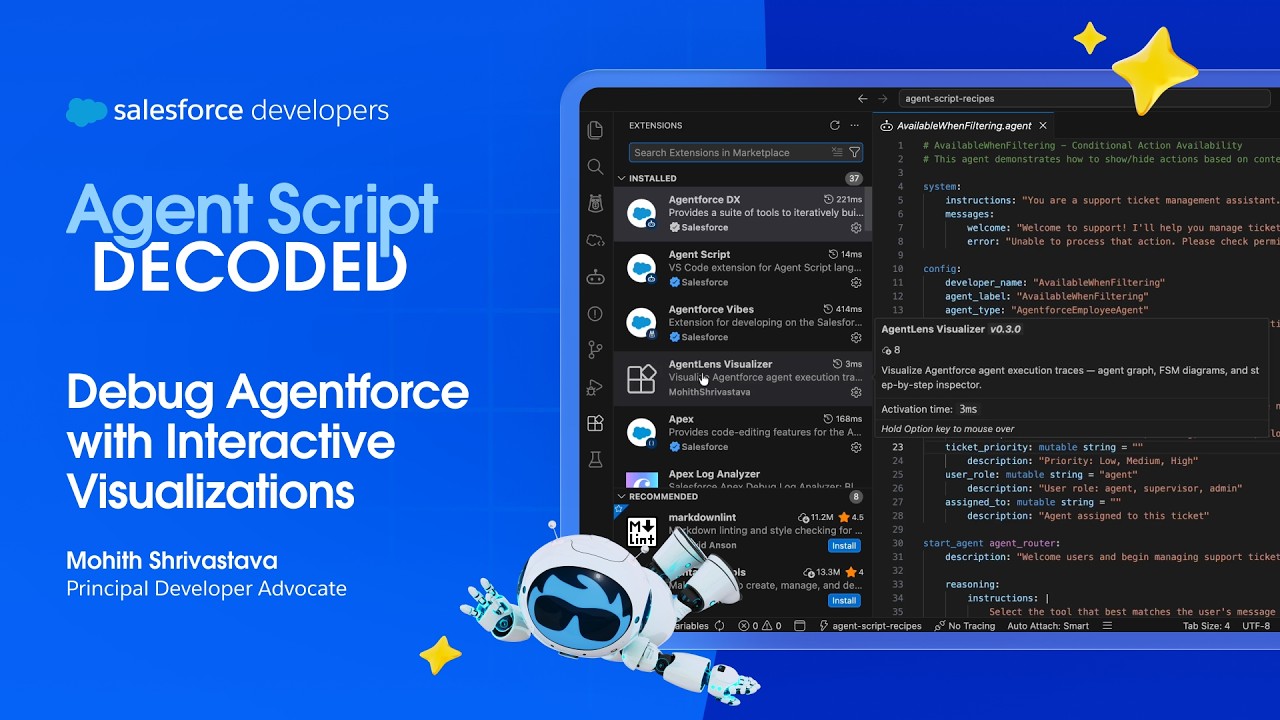
Load a trace from the Agentforce DX extension, the NGA builder, or the SF CLI and AgentLens shows you:
- Agent Graph — which sub agents talked to each other, how many times, and in what order
- Finite State Machine — the internal orchestration flow for each sub agent: LLM calls, tool executions, variable mutations, and handoffs
- Step-by-Step Inspector — walk through every event with full detail: system prompts, model output, tool inputs/outputs, and variable diffs
- Graph Analysis Report — one-click PDF with degree distribution, connectivity analysis, betweenness centrality, and algorithm explanations
AgentLens accepts trace JSON from any of these sources:
| Source | How to get the trace |
|---|---|
| Agentforce Builder | Open your agent in Setup > Agentforce Builder, run a conversation in the Preview panel, then copy the JSON trace from the conversation details |
| SF CLI — Agent Preview | sf agent preview -o <org> — after the conversation, save the transcript JSON (saved to ./temp/agent-preview by default, or specify --output-dir) |
| Agentforce DX Extension | Use the trace viewer in the Agentforce DX VS Code extension and copy the plan response JSON |
Install from the Chrome Web Store: AgentLens
Once installed:
- Navigate to the NGA builder in your Salesforce org
- Click Copy Code to copy the trace, then click the Open in AgentLens button that appears next to it
- A new tab opens with the full trace visualization
The extension injects a button directly into the NGA builder UI for one-click trace viewing.
Install from source (for development):
- Open
chrome://extensionsand enable Developer mode - Click Load unpacked and select the
chrome-extension/folder
Install from the Marketplace: AgentLens Visualizer
Or search for AgentLens Visualizer in the VS Code Extensions panel (Cmd+Shift+X).
The extension provides the same visualization inside VS Code with native theme integration — right-click any trace JSON file and select Open with AgentLens.
The open-agentlens skill follows the open Agent Skills format, so any agent that supports skills can use it. Install it with the skills CLI:
npx skills add forcedotcom/AgentLens --skill open-agentlens            # this project
npx skills add forcedotcom/AgentLens --skill open-agentlens -g         # all projects
npx skills add forcedotcom/AgentLens --skill open-agentlens -a codex   # one specific agent
The CLI puts the skill in .agents/skills/open-agentlens/, where Codex and OpenCode read skills, and links it into .claude/skills/ for Claude Code. Then ask your agent to "open AgentLens" from inside your DX project. The skill needs Node 18+. The first time it runs outside a checkout of this repo, it downloads the AgentLens app from GitHub and caches it in ~/.cache/agentlens/.
The skill also ships as a Claude Code plugin, which bundles its eval suite. Install it in Claude Code:
/plugin install agentlens --marketplace forcedotcom/AgentLens
Inside a Salesforce DX project, say "open AgentLens" or "visualize this in AgentLens". The plugin picks the right trace from your sf agent preview sessions and opens it in the AgentLens web app in your browser. You can be specific: name an agent ("show OrderManagement in AgentLens"), or point at one exchange ("the part where I searched for hotels").
The Salesforce CLI writes one trace per agent reply to <project>/.sfdx/agents/<Agent>/sessions/<sessionId>/traces/<planId>.json. The plugin picks from those files like this:
- It opens the newest session (by its
metadata.jsonstart time) that has a trace. - In that session it opens the last non-empty turn.
- It skips greeting-only sessions and empty traces, and tells you when it does.
It also reads sessions saved with --output-dir and the older .sfdx/agents/<Agent>.agent/traces/ layout. See agentlens-plugin/skills/open-agentlens/SKILL.md for details.
The plugin's eval suite lives in agentlens-plugin/evals/. Run it with cd agentlens-plugin && claude plugin eval . --scaffold --allow-tools Bash.
You can install and run the plugin from a shell, a script, or CI, with no interactive Claude Code session.
Install from the AgentLens marketplace in one command:
claude plugin install agentlens --marketplace forcedotcom/AgentLensAdd --scope project to record the plugin in the project's .claude/settings.json, so everyone working in that DX project gets it.
Or skip installing and load the plugin from a local checkout of this repo for each run:
git clone https://github.com/forcedotcom/AgentLens.git
claude -p "open agentlens" --plugin-dir ./AgentLens/agentlens-plugin
Run claude -p from inside your Salesforce DX project. In headless mode nobody is there to approve tool calls, so pre-allow the tools the skill uses:
cd my-dx-project
claude -p "open agentlens" \
  --allowedTools "Skill" "Bash(node:*)" "Read" "Glob" "Grep"
The prompt works the same way it does interactively:
# A specific agent
claude -p "visualize the OrderManagement agent in AgentLens" --allowedTools "Skill" "Bash(node:*)" "Read" "Glob" "Grep"

# A specific exchange
claude -p "open the turn where I searched for hotels in Chicago in AgentLens" --allowedTools "Skill" "Bash(node:*)" "Read" "Glob" "Grep"
Claude opens the trace in your default browser and replies with what it opened: agent, session, turn, the user message for that turn, and any warnings. Add --output-format json to get a JSON result, and read the reply from .result.
Run a programmatic preview session, then open exactly that session by its ID:
SID=$(sf agent preview start --authoring-bundle MyAgent --simulate-actions --json | jq -r .result.sessionId)
sf agent preview send --authoring-bundle MyAgent --session-id "$SID" -u "Where is my order?" --json
sf agent preview end  --authoring-bundle MyAgent --session-id "$SID" --json

claude -p "open session $SID in agentlens" --allowedTools "Skill" "Bash(node:*)" "Read" "Glob" "Grep"The skill's trace picker is a standalone Node 18+ script with no dependencies, so you can call it directly. With --no-open it writes a self-contained AgentLens HTML page that works offline, for example to save as a CI artifact:
node ./AgentLens/agentlens-plugin/skills/open-agentlens/scripts/open-agentlens.mjs \
  --agent MyAgent --no-open --out agentlens-trace.html
Useful options:
--listprints every session and turn as JSON.--session <id>,--turn <n>and--plan <planId>pick a specific trace.--helplists all options.
The script prints the selection as JSON. It exits with code 2 when it finds no matching trace, and the message lists what it did find.
The script needs the AgentLens app (index.html). If it runs from a checkout of this repo, it uses that checkout's index.html. Otherwise it downloads index.html from GitHub and caches it in ~/.cache/agentlens/. On offline machines, pass --app <path/to/index.html> or set AGENTLENS_HTML.
Agentforce traces are large JSON blobs. Reading them raw is painful. AgentLens turns them into something you can actually navigate — so you can debug handoff loops, understand why an LLM chose a tool, or figure out where latency is hiding.
Zero dependencies. Runs entirely in the browser. Works offline. Available as a web app, Chrome extension, and VS Code extension.
Apache License 2.0 — Copyright (c) 2026 Salesforce, Inc. See LICENSE.txt.