


Create bot, get token and add to Discord server
Node.js 12.0.0 or newer is required.
Create .env file or set environment variables in commandline and add NODE_ENV=production to disable .env file.
TOKEN=<discord token>
OWNER=<Discord owner User Id>
URL=<url/ip of this server in format http(s)://foo.bar:port>
PORT=<port to start server on (Default 3000)>
PREFIX=<Discord bot command prefix>
Build the server first then the client.
> npm install
> npm run build
client> npm install
client> npm run build:prod
> node ./bin/www
If the client was build without prod flag it will always access the server via localhost:3000 (for development).
Or run with Docker:
docker run -d -p 80:80 --restart unless-stopped --name discord-bot-node -e NODE_ENV=production -e PORT=80 -e TOKEN=<discord token> -e OWNER=<discord owner id> -e URL=<url/ip e.g http(s)://foo.bar:port> -e PREFIX=<prefix e.g !> alexanderwyss/discord-bot-node:latest
The Web UI can be used by multiple Users concurrently.
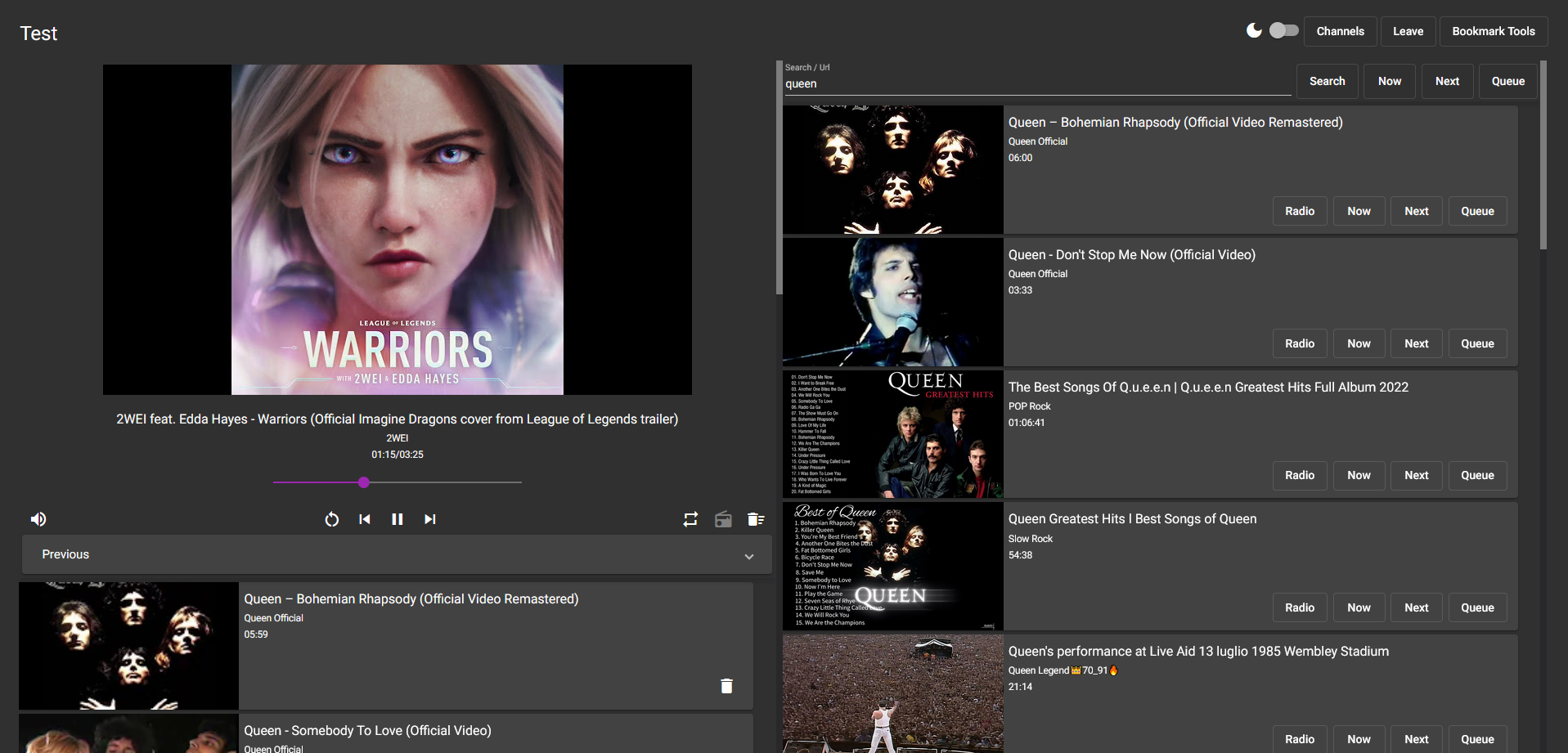
<ctrl> + fFocus search- While searchbar focused:
<enter>Search<ctrl> + <enter>Play first result now<ctrl> + <shift> + <enter>Play first result next<shift> + <enter>Queue first result
Tested with Firefox & Chrome.