

Privacy-First Protective DNS Resolver & DoH / DoT Server & AD Blocker
Protect your first hop on the internet









DNS Worker is a privacy-first protective DNS resolution system with built-in ad & malicious domain blocking, supporting Dual-Engine Architecture:
- ☁️ Edge Serverless Mode: Run on Cloudflare Workers across 300+ edge locations worldwide with D1 database, enjoying zero maintenance and high-availability DoH (HTTP/2 & HTTP/3 compatible).
- 🖥️ Standalone Server Mode (Serverfull): Run completely free of Cloudflare on your own VPS, Linux home server, or Windows machine, with native UDP 53, DoT 853 (DoQ compatible with TLS SNI routing for Android Private DNS), and local SQLite.
📚 User Documentation
👉 https://oppidi.github.io/DNS-Worker/
# Install globally and run
npm install -g dns-worker
dns-worker config init
dns-worker
# Web Dashboard: http://localhost:10080

# Register background service & enable autostart on boot:
#   Linux (systemd): sudo dns-worker service install   (auto-enables boot start & CAP_NET_BIND_SERVICE for ports 53/853)
#   Windows (Admin): dns-worker service install        (creates SYSTEM /sc onstart scheduled task)
# Manage autostart & service:
#   sudo dns-worker service enable | disable | start | stop | restart | status | logs | uninstall
Runtime Requirements & Bun Auto-Selection: Requires Node.js
>= 22.5.0or Bun>= 1.4.0(both require nativenode:sqlite). By default (--runtime auto), Serverfull checks if thebuncommand (>= 1.4.0) is available inPATHand automatically switches tobununless multi-worker clustering (-w/--workers > 1) is configured. Ifbunis missing fromPATH, outdated (< 1.4.0), or fails to spawn, it transparently falls back tonode. Force an engine anytime with--runtime node|bun|autoorDNS_WORKER_RUNTIME.
# Run container with HTTPS (443), DoT (853), classic DNS (53), and TLS certificates
docker run -d \
  --name dns-worker \
  --restart unless-stopped \
  -p 53:53/udp \
  -p 853:853/tcp \
  -p 80:80/tcp \
  -p 443:443/tcp \
  -v dns_worker_data:/var/lib/dns-worker \
  -v dns_worker_config:/etc/dns-worker \
  -v /etc/letsencrypt:/etc/ssl/dns-worker:ro \
  hugokoo/dns-worker:latest

# Web Dashboard: https://your-domain-or-ip (HTTP on port 80 auto-redirects to HTTPS 443)- ⚡ Full-Stack Protocols: UDP 53, DoT 853 (DoQ RFC 9250 compatible), DoH (HTTP/2 & HTTP/3 compatible), ECH & DDR (RFC 9460).
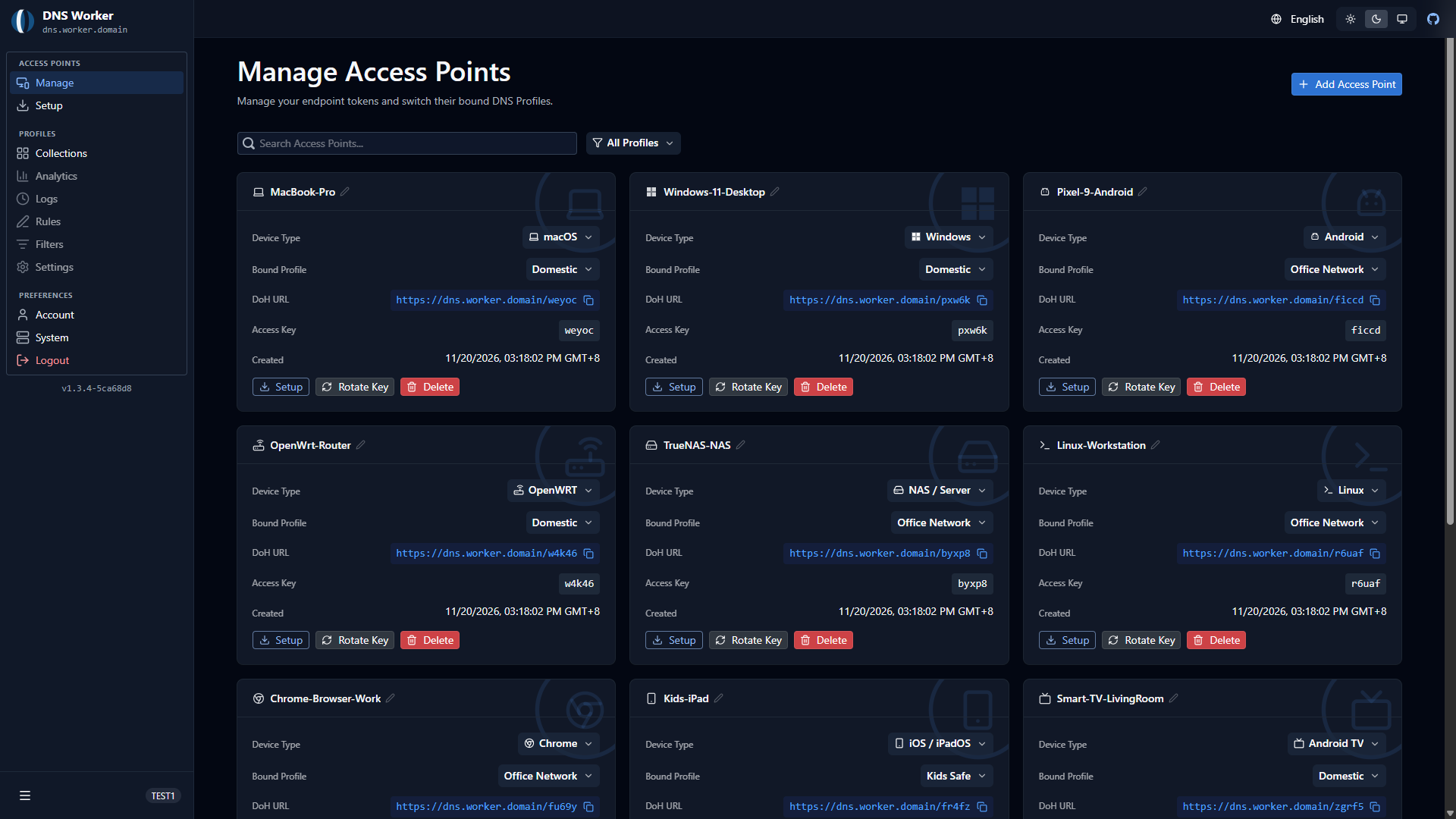
- 🔀 Decoupled Profiles & Access Points: Create independent DNS policy Profiles (rules, blocklists, upstreams) and user-owned Access Points (device tokens), bind or switch any Access Point across Profiles on the fly without touching device settings (unbound Access Points safely fall back to
FAIL_OPEN). - 🗄️ Multi-Database Engines: Easily switch between
D1,Turso, andFilebackends via theDATABASE_SERVICEenvironment variable, eliminating D1 free-tier quota limits. - 🛡️ Post-Quantum Zero-Knowledge E2EE: NIST FIPS 203 P256-MLKEM768 hybrid lattice cryptography + Hardware Passkeys (WebAuthn).
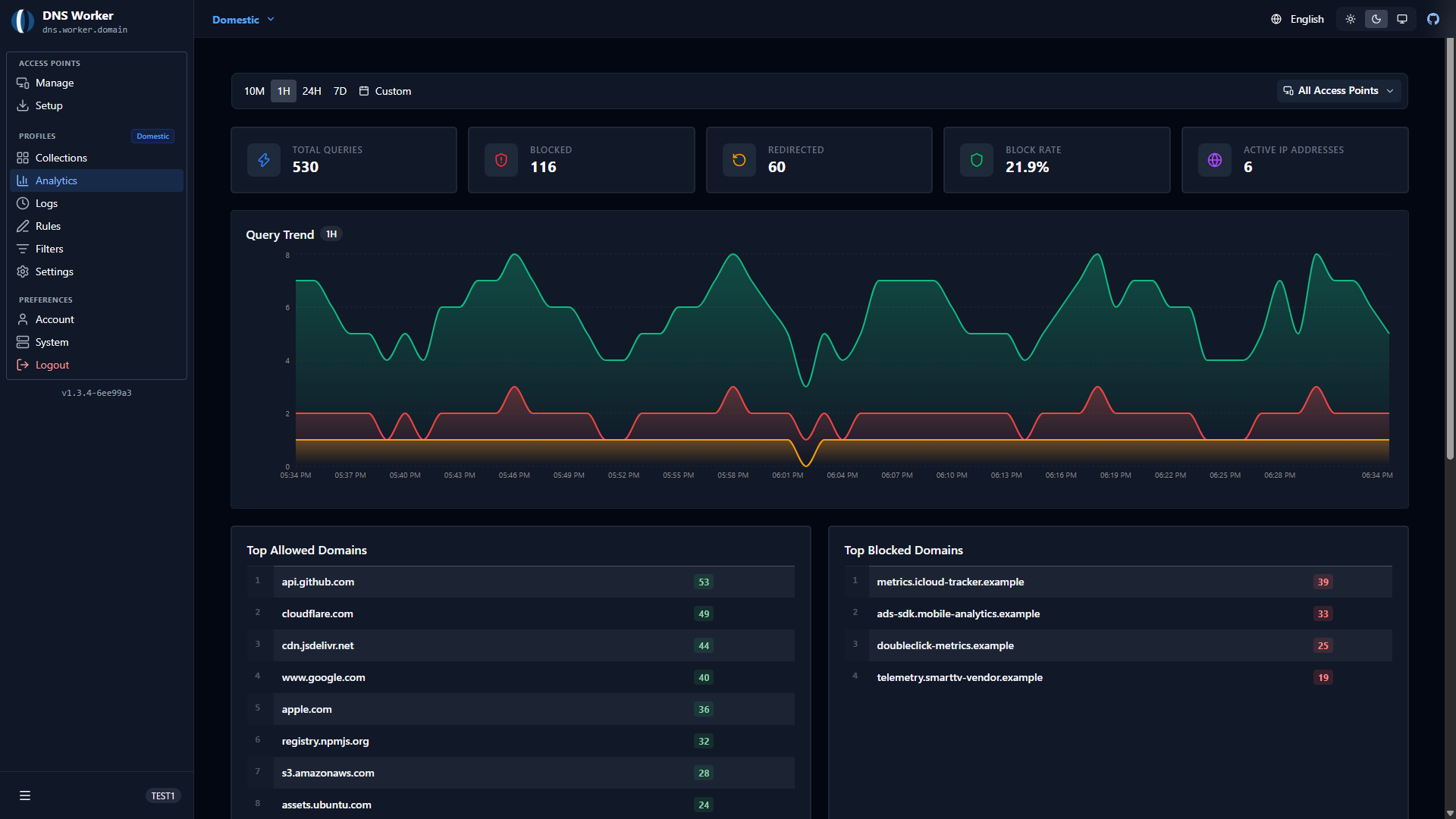
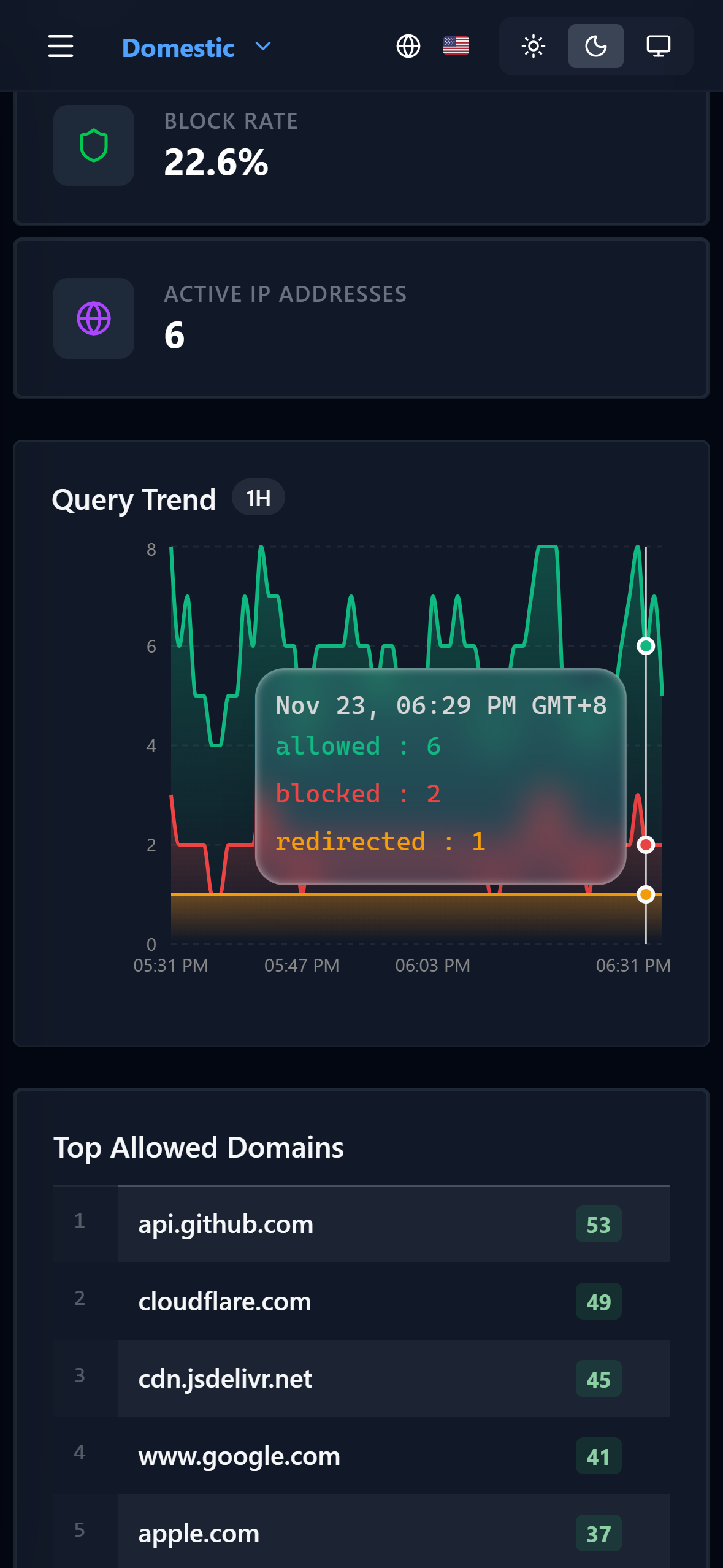
- 🚀 Local-First Architecture: Embedded in-browser WebAssembly SQLite + OPFS for instant 0ms log analytics and charting.
- 🛡️ Tiered Hybrid Protection & Ad Blocking: Native compatibility with AdGuard Home syntax (
@@whitelist hash set exceptions,$dnsrewrite, regex pool), dual-state prefix-encoded Bloom filter for millions of blocklist entries, configurable subdomain matching per rule, on-demand single-list sync, and staggered anti-burst pacing.
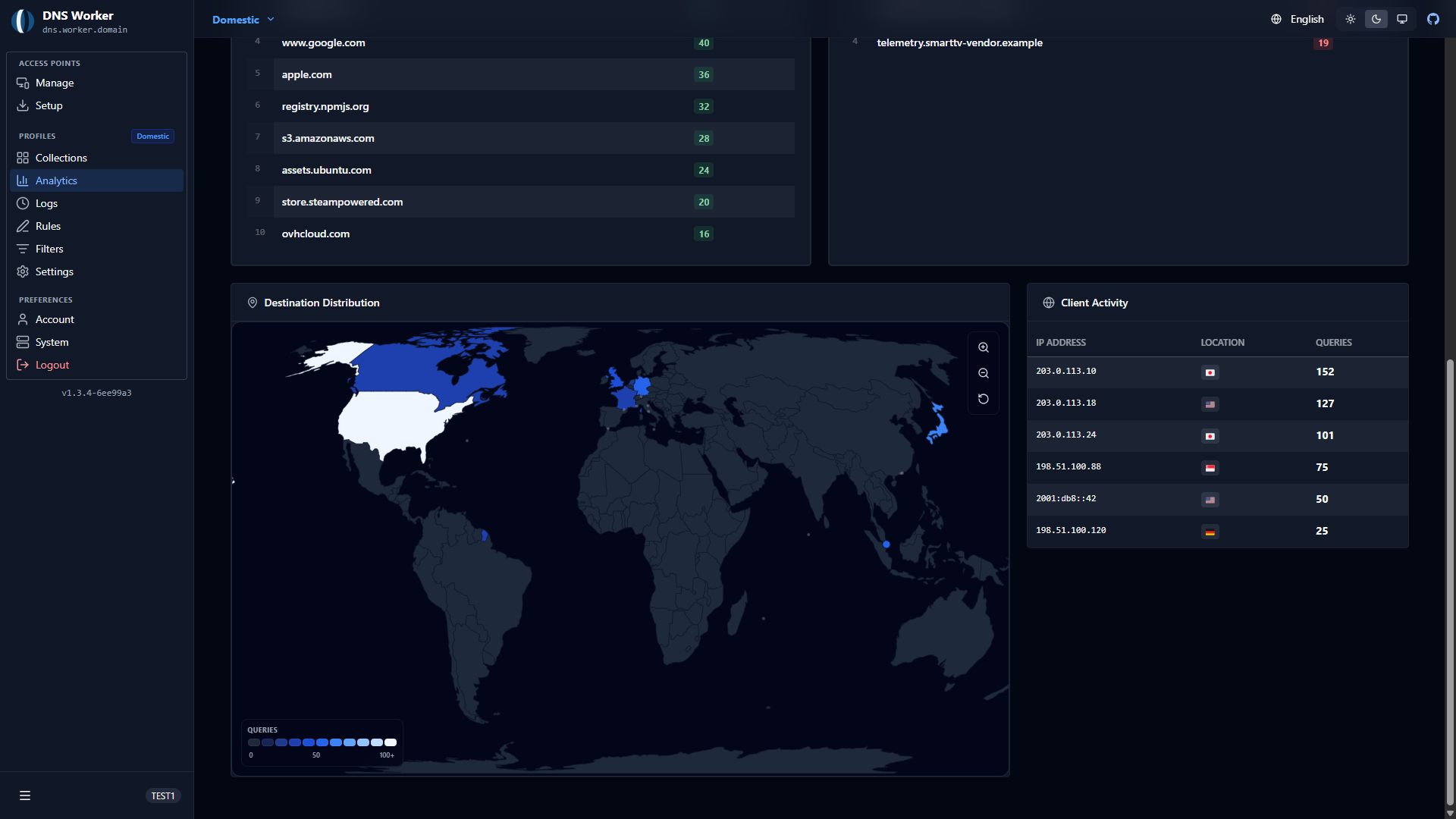
| Analytics & Insights | Destinations Map |
|---|---|
 |
 |
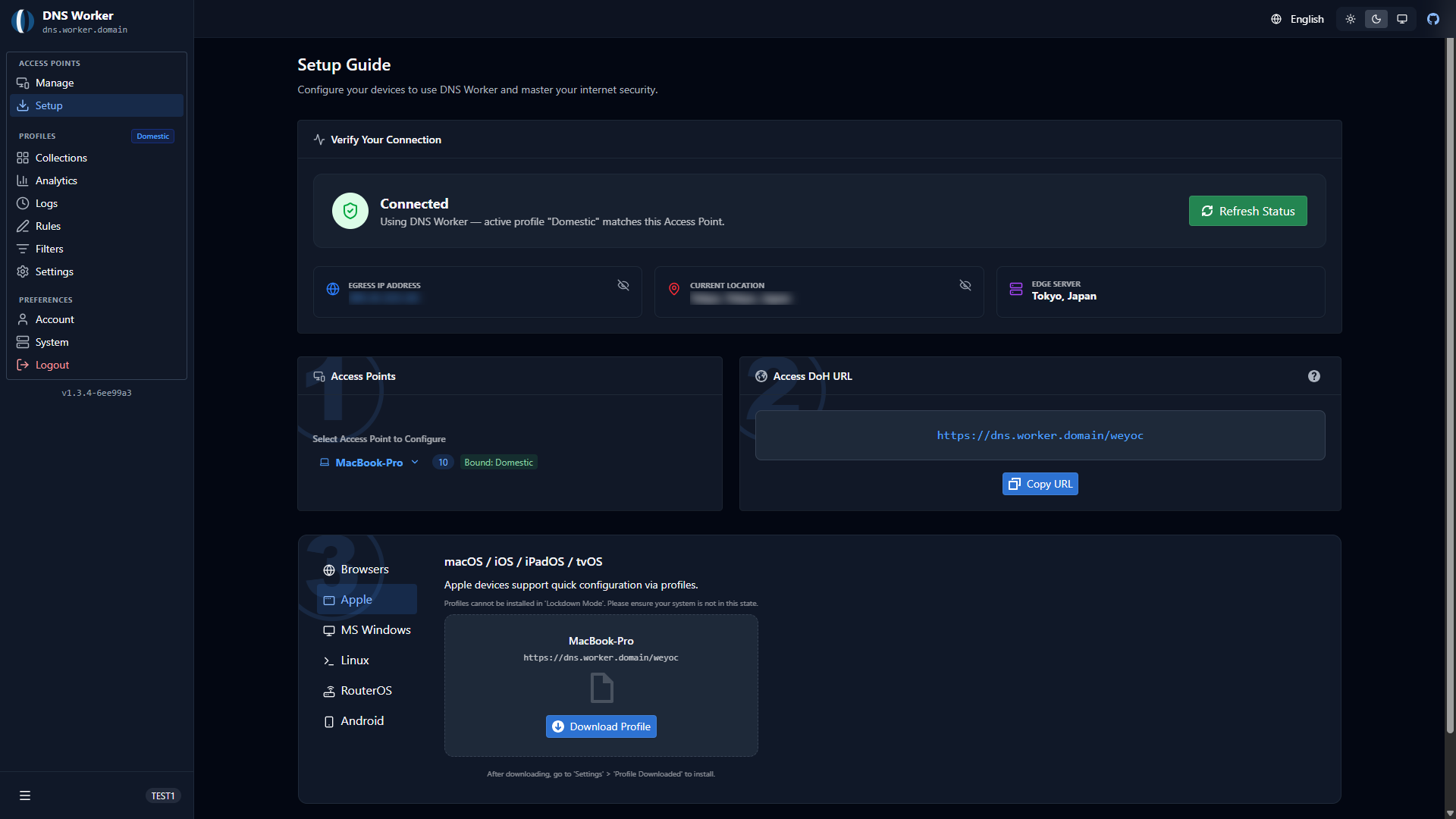
| Multi-Access Points & Endpoints | Setup Guide |
|---|---|
 |
 |
| Rules Configuration | Filter Subscriptions |
|---|---|
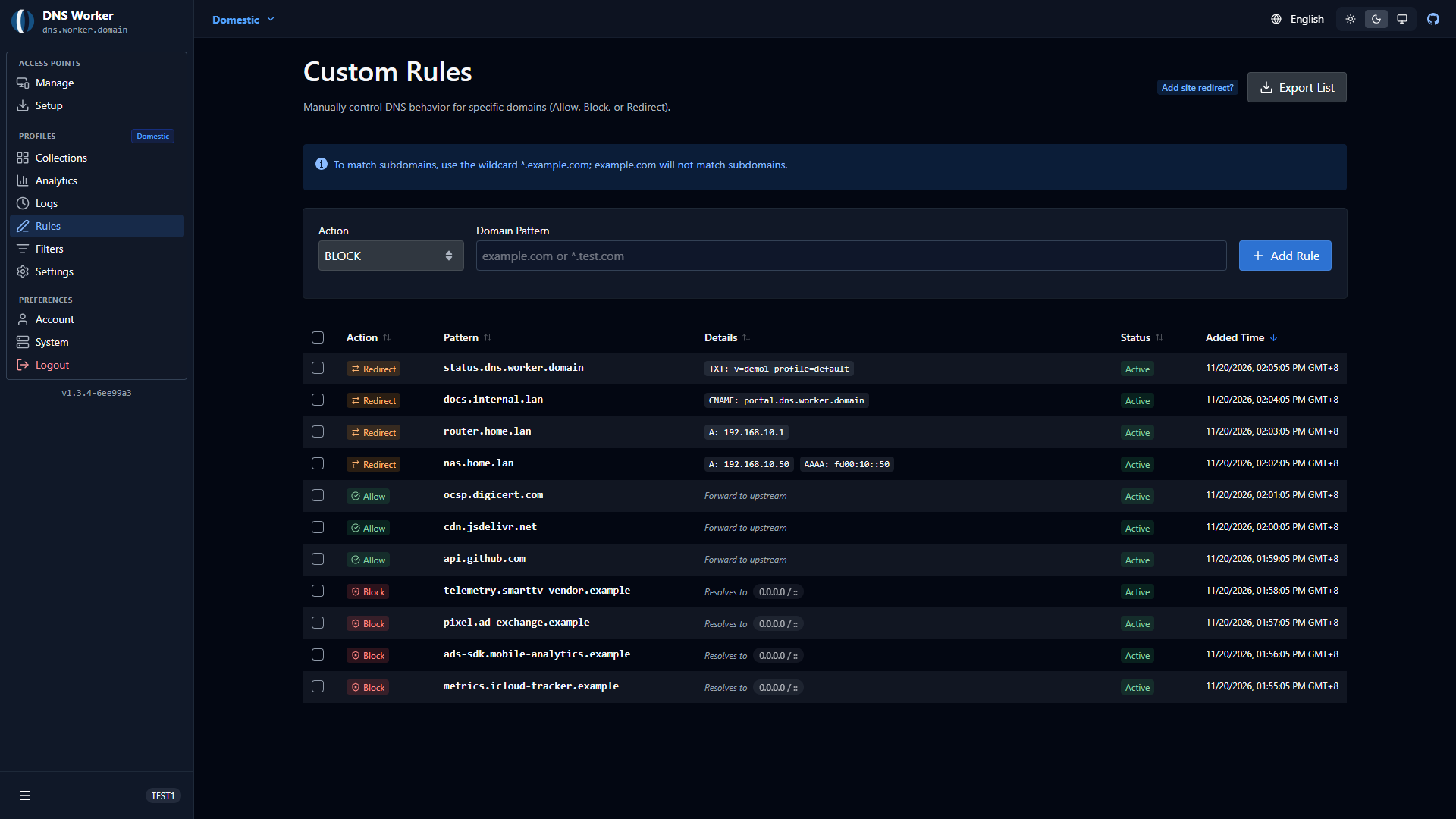 |
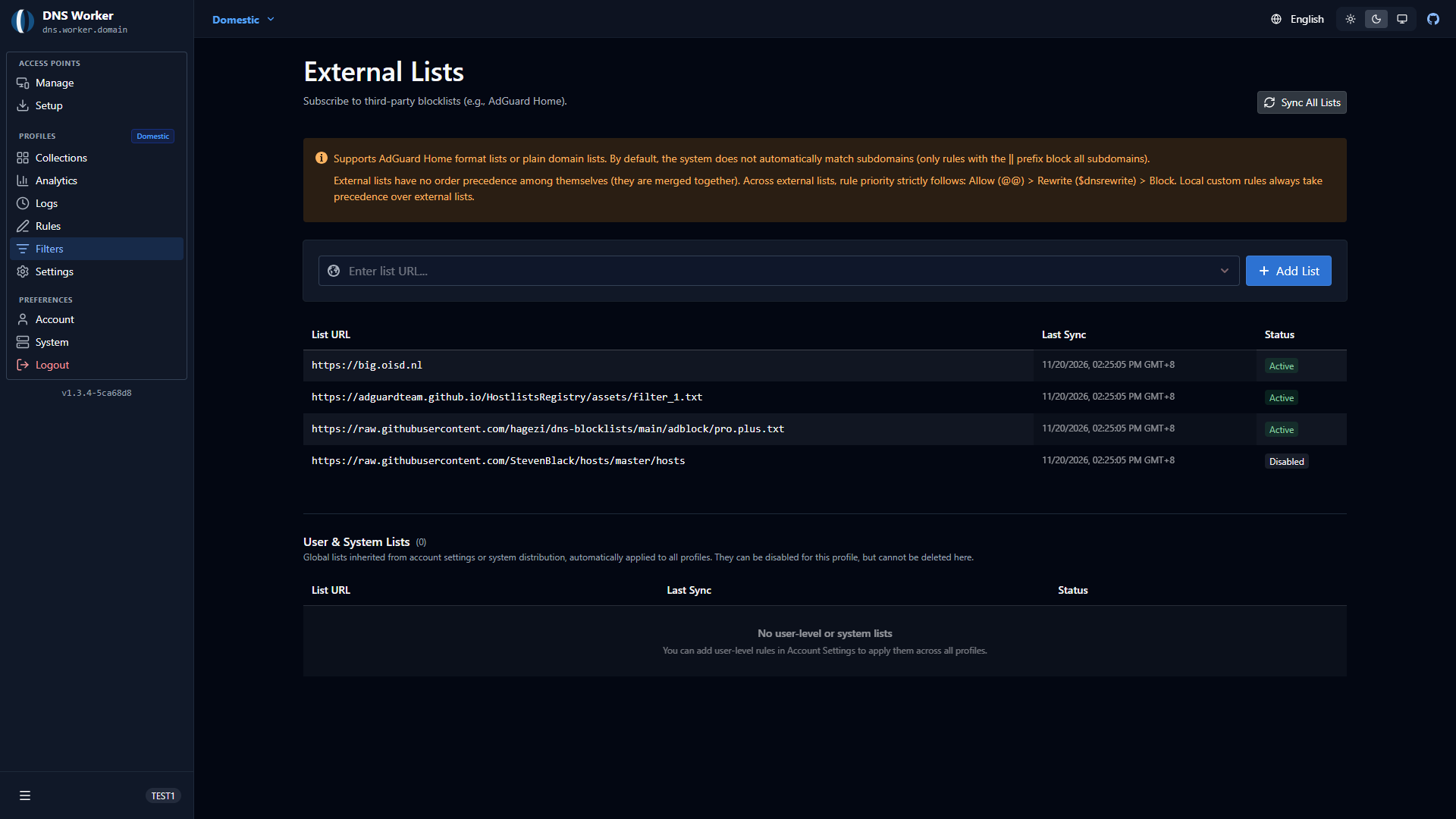 |
| Query Logs | Log Detail Inspector |
|---|---|
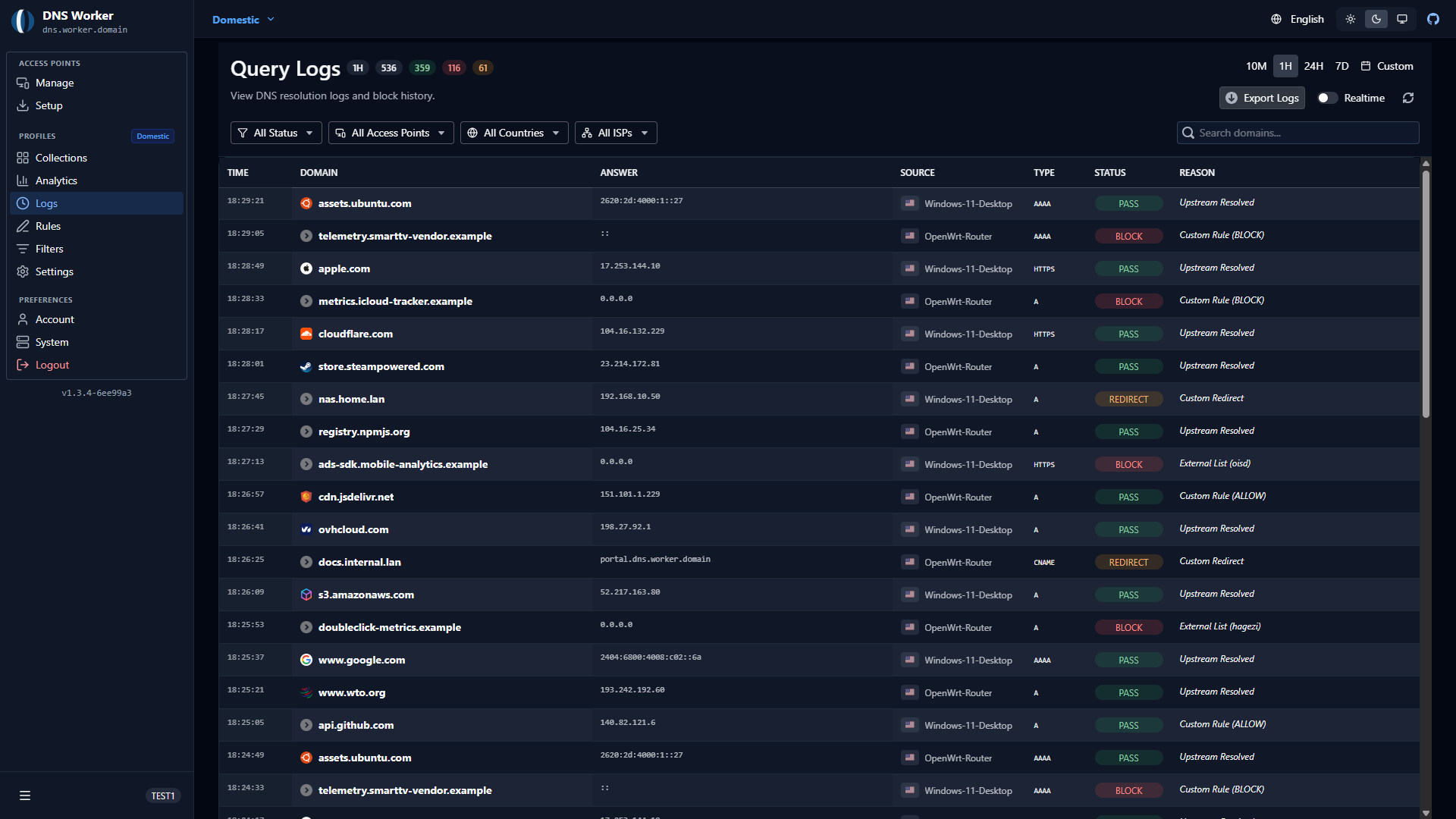 |
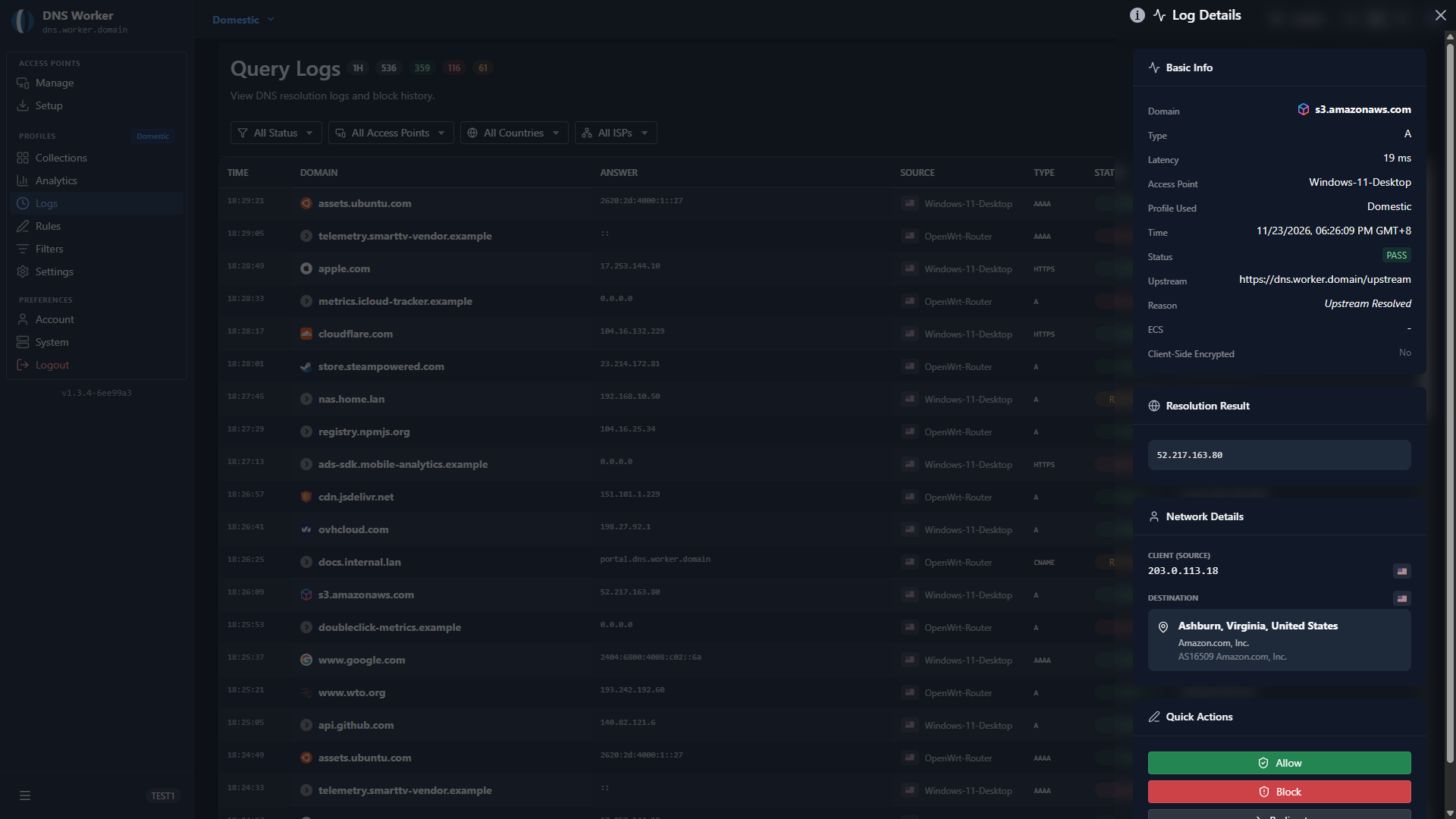 |
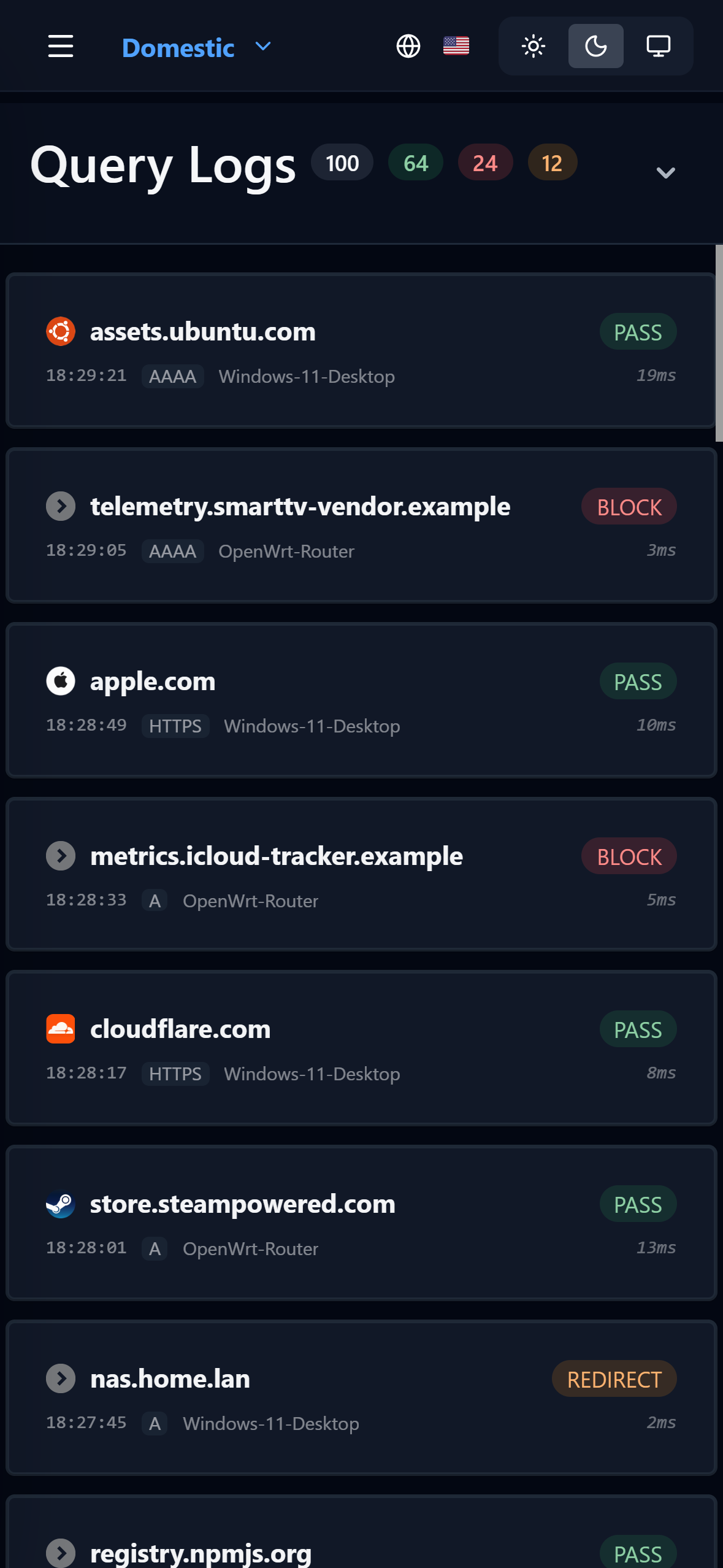
| Mobile Responsive | Mobile Logs |
|---|---|
 |
 |
💡 For live demonstrations and endpoints setup, visit your Web Dashboard after launch or refer to the Official Documentation.
DNS Worker stands on the shoulders of modern open-source infrastructure and cryptography:
- Compute & Runtime: Node.js (native
node:sqlite) / Bun (>= 1.4.0) & Cloudflare Workers + D1 Database / Turso Database (libSQL) - User Interface: React, Blueprint & Tailwind CSS
- Documentation: Astro & Starlight (lightning-fast, zero-JS static documentation)
- Cryptography & Storage: NIST FIPS 203 (ML-KEM-768) & wa-sqlite (WASM + OPFS Local-First driver)
Licensed under the AGPL-3.0 License.
If DNS Worker helps you protect your DNS security, consider giving it a ⭐